Internet radio app for iPhone
radioBee is a lightweight internet radio app for iPhone, available in Lite and Pro on the App Store. It plays SHOUTcast stations, lets you save favorites without an account, includes a sleep timer, and shows now-playing song or show info when stations provide ICY metadata. radioBee now works with CarPlay, so your stations come with you in the car. It also runs natively on iPad and supports landscape on iPhone. Aurora — tap the glowing bee while a station plays and the whole screen becomes a light display that moves with the sound. New in 2.8.0: Pro has four Aurora modes — Aurora, Spectrum, Pulse and Wave. Lite is free with up to 5 favorites; Pro is for listeners who want more.
What radioBee for iPhone includes
- Direct favorites
- SHOUTcast search by genre, station name, artist, or now-playing
- Extended search by country, station name, and tags
- Search for stations near you
- Now-playing metadata when stations provide ICY data
- Sleep timer
- Custom station URL
- Dock Mode — a full-screen clock radio that stays awake and dims at night
- Aurora — a full-screen light display that moves with the sound, with four modes in Pro
- CarPlay support — your favorites, last station, and now playing on the car screen
- Native iPad support
- Landscape support
- No account required
Dock Mode — your iPhone as a clock radio
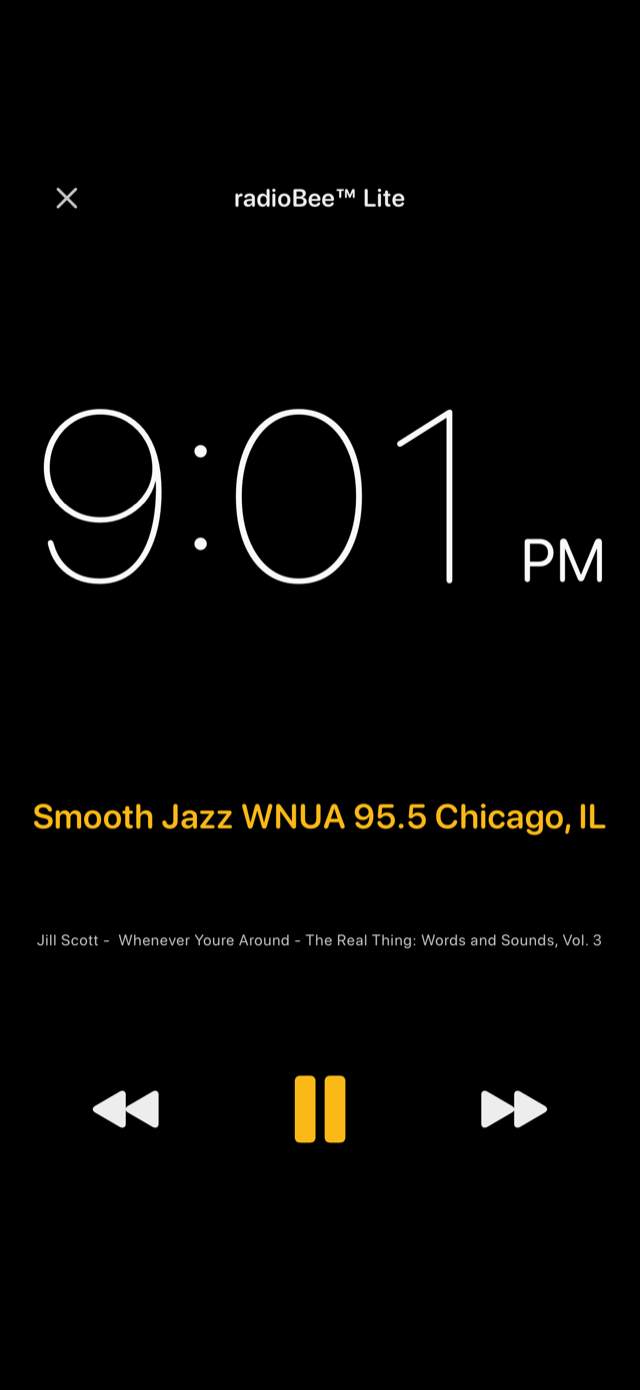
Start a station, then tap the duck at the top of the main screen. The display becomes a clock radio: the time in large numerals, the station underneath, the track when the station sends it, and three oversized buttons — previous favorite, play/pause, next favorite. Nothing else is on screen, so there is nothing to hit by accident.
While it is docked the screen stays awake instead of locking, and it dims on its own: a lower level after a minute of no touches, and a much darker night level between 10 PM and 7 AM that you can set to Automatic, Always on, or Off. Switch on “Auto dock when charging” in Settings and it opens by itself whenever you plug the phone in with radioBee open — on the nightstand, on a kitchen shelf, or propped on a desk.
Dock Mode is included in both radioBee Lite and radioBee Pro, at no cost in either, and it works the same on iPad, Android and Fire tablets.
Aurora — the screen moves with the music
Aurora is radioBee's full-screen music visualizer. Start any station, then tap the radioBee bee in the top-right corner once it starts to glow — the halo appears only while a station is playing, and that is what makes it tappable. The screen opens into slow drifting color driven by the audio: low frequencies pool into deep blue, high frequencies flare violet, and the mids move through green and gold in between. No two stations look alike.
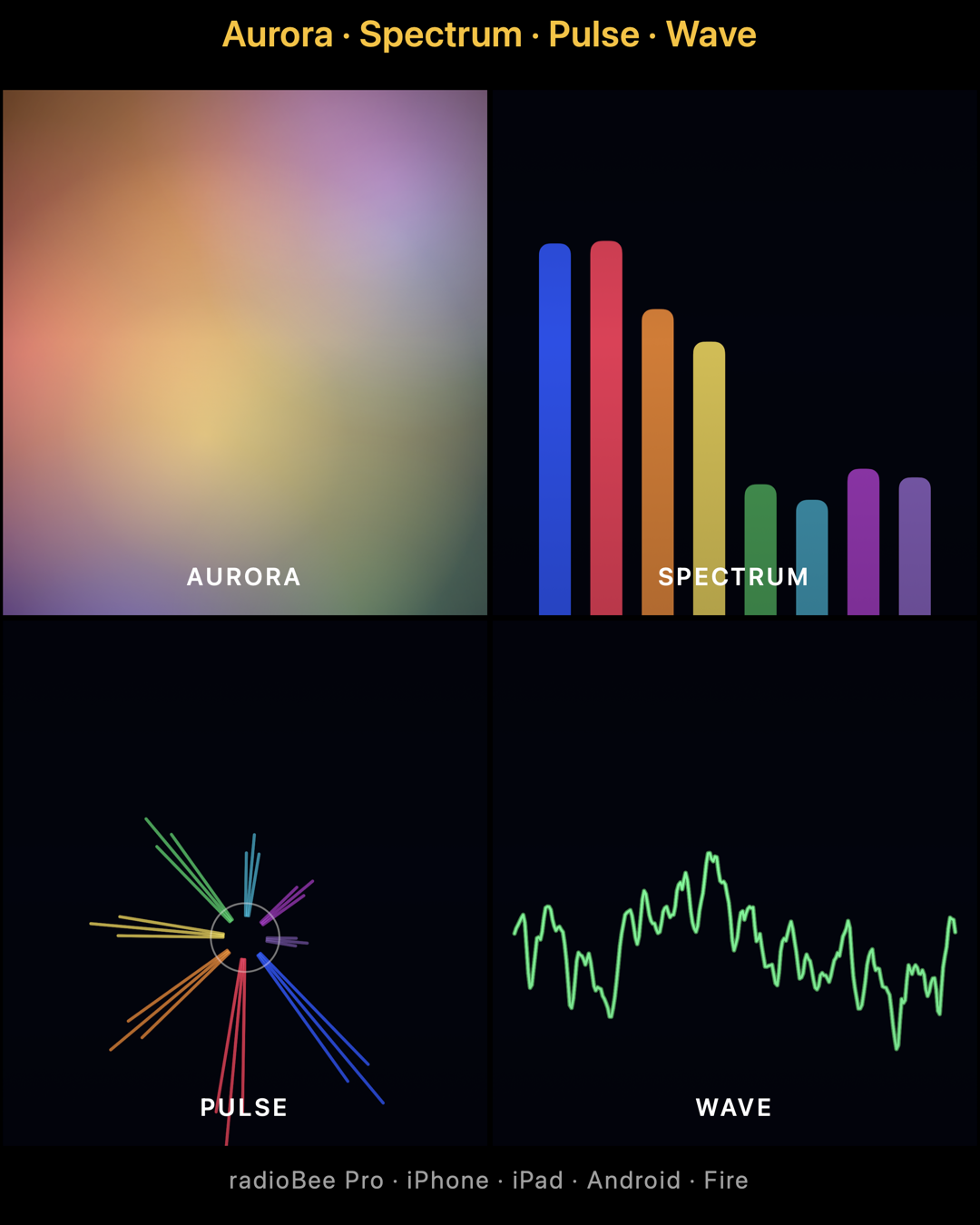
Aurora is included in both radioBee Lite and radioBee Pro on iPhone and iPad, at no cost in either — and it is on Android and Fire too. radioBee Pro adds three more modes on top of the original Aurora: Spectrum draws the frequency bands as bars, Pulse throws colored rays from the centre, and Wave traces the waveform as a moving line. Lite has Aurora itself; the four modes are Pro only.
radioBee on CarPlay
Connect your iPhone to a CarPlay-equipped car and radioBee appears on the car's display. Your saved favorites and your last played station are right there on the screen, and now playing shows the station and track info with playback controls — so you can start listening without picking up your phone.
CarPlay support is included in both radioBee Lite and radioBee Pro. Lite shows your 5 favorites; Pro shows the larger favorites list.
What's not yet on iPhone
Wake-up alarm is not yet available on iPhone or iPad — it's on Android today and is planned for later.
Lite or Pro?
radioBee Lite is free and includes up to 5 favorites. radioBee Pro is for listeners who want more than 5 favorites. The iPhone feature set is otherwise the same on both.